FL Studio Rescan Guide
If your Soundtoys plug-ins aren't appearing in FL Studio, you may need to manually rescan them. This process is the same on macOS and Windows, so just make sure your plug-ins are installed to the default location for your operating system, then follow the steps below.
-
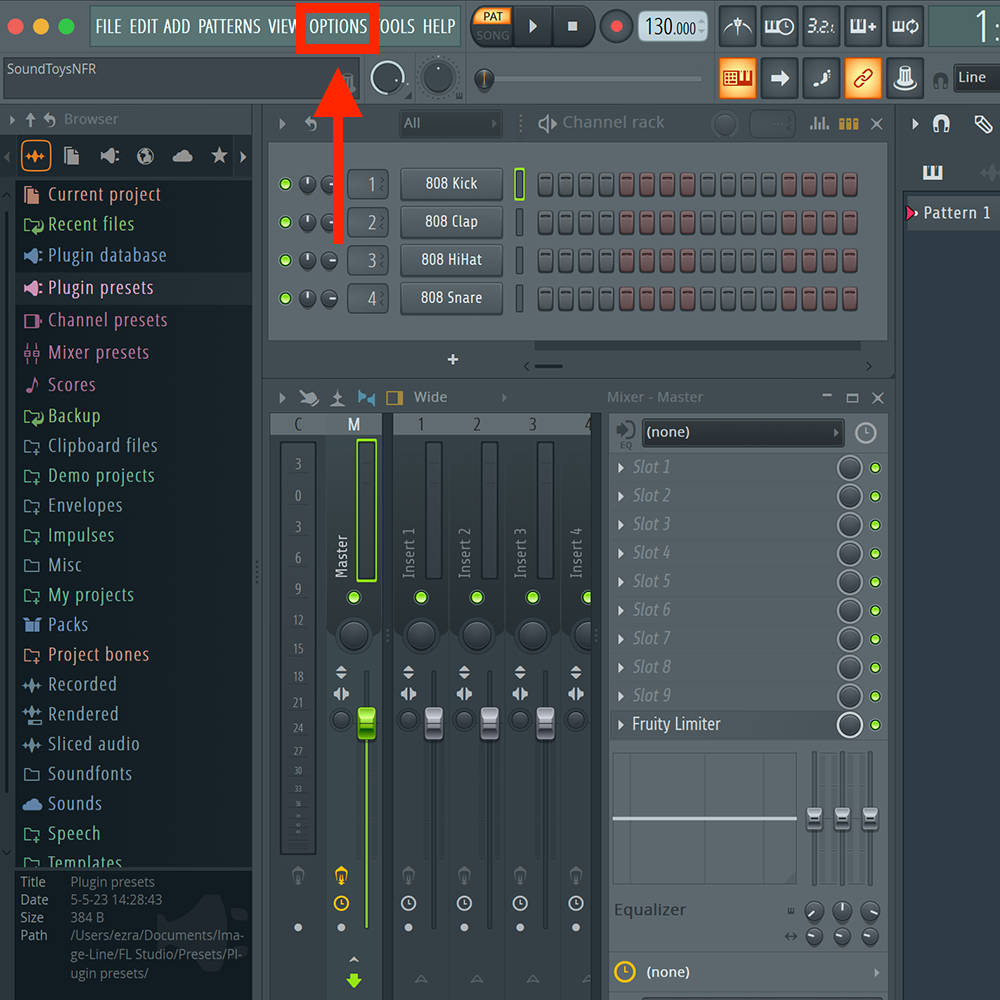
Open FL Studio, then click Options in the top menu bar.
-
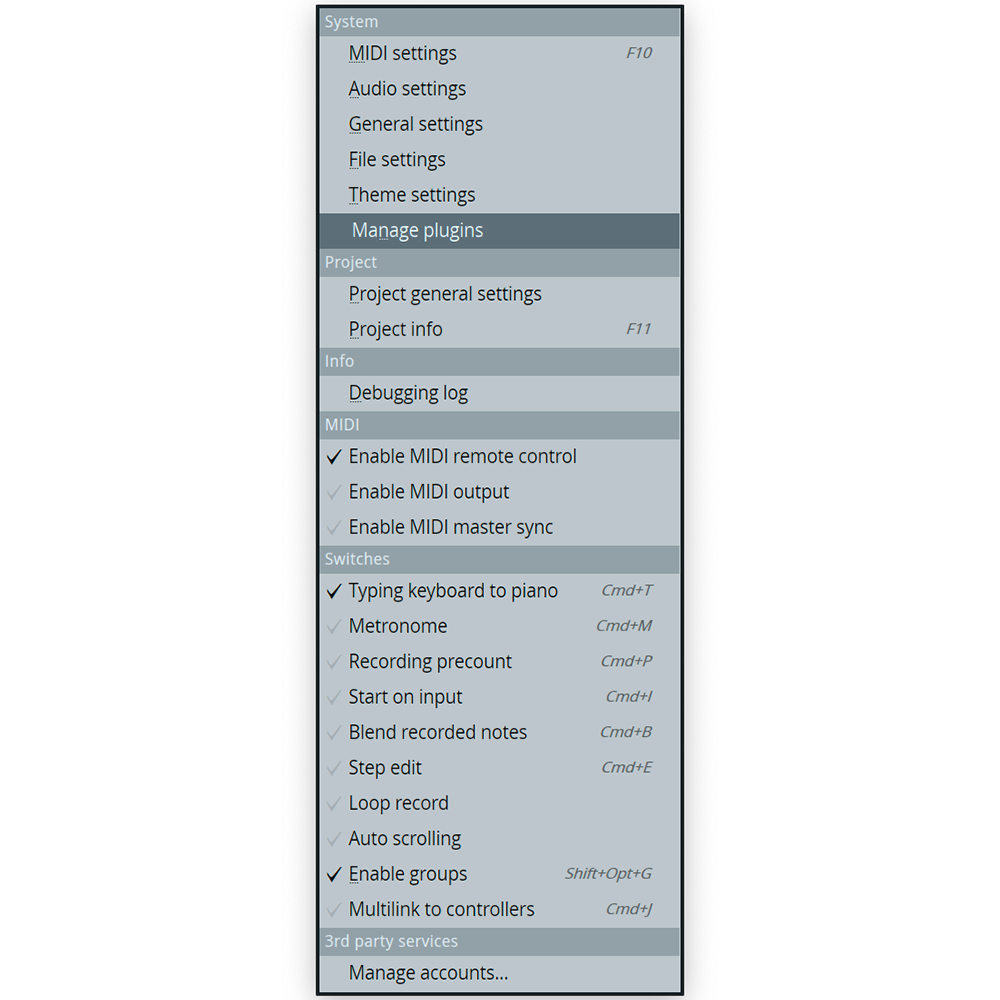
In the drop-down menu that appears, select Manage Plugins
-
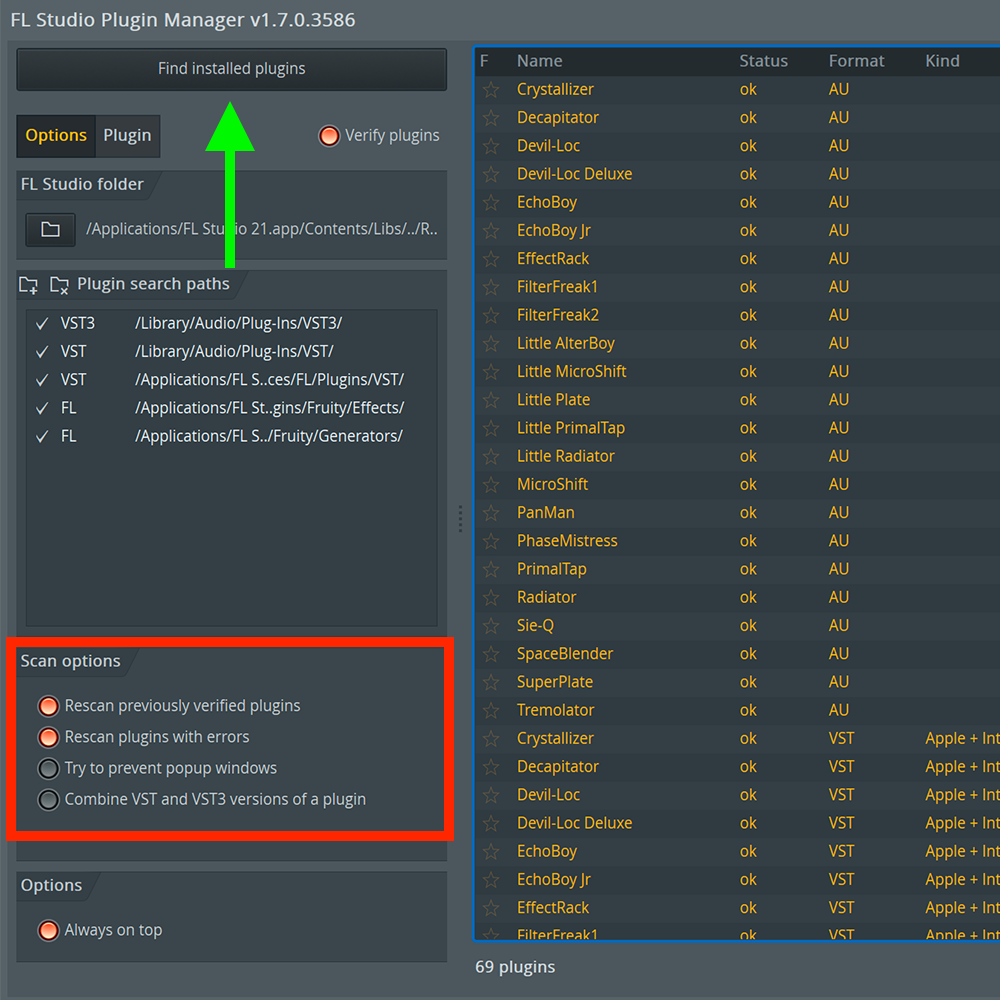
In the Plugin Manager, make sure to turn on the following:
- Rescan previously verified plugins
- Rescan plugins with errors
-
Make sure to turn off (leave unchecked):
- Combine VST and VST3 versions of a plug-in
-
After that, click Find Installed Plugins in the top left of the screen